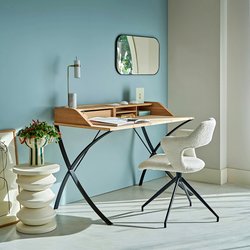
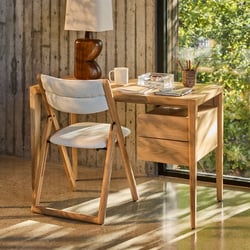
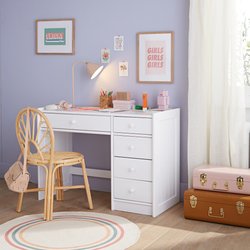
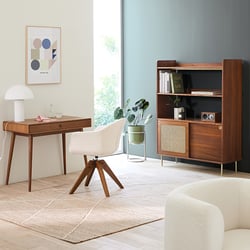
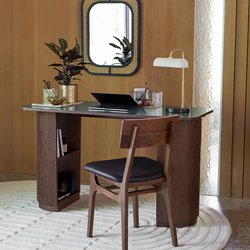
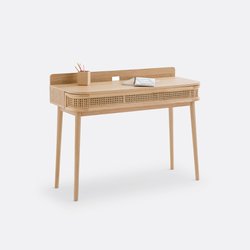
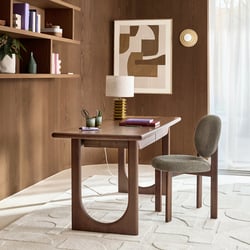
Choose the right size first
When you buy a desk, the first thing to get right is not the colour or the finish, but the size. A desk that looks smart in a picture can feel cramped once your monitor, keyboard, lamp, charger and papers are in place. If you work from home for several hours a day, or if you need a study area for notebooks and a task light, dimensions will shape how comfortable the desk feels every day. The best choice is the one that fits your room, supports your posture and leaves enough working space for the way you actually use it.
That is why it helps to compare desks by width, depth and height before anything else. A narrow console-style desk may suit laptop tasks in a small spare room, while a broader office desk gives you room to keep printer, files and monitor organised without stacking everything in one corner. At La Redoute, our selection includes compact and generous formats, so you can compare practical options for study, admin and daily office use rather than choosing on looks alone.
Start with desk dimensions that match your routine
Width is usually the easiest measurement to understand because it tells you how much side-to-side working area you will have. For simple laptop use, a width of around 80 to 100 cm can work in a compact room. If you also use a separate keyboard, paperwork or a second screen, 120 to 140 cm feels more comfortable. For a full workstation with monitor, printer access, files and room to write, many people prefer 140 cm or more. In practical terms, this means you can keep your screen centred in front of you and still have enough clear space for a notebook on one side and a mug or lamp on the other.
Depth matters just as much. A desk with shallow depth may fit neatly against the wall, but if it is under 50 cm deep, your monitor can end up too close to your eyes. For screen work, 60 cm is often a more usable starting point, while 70 to 80 cm gives extra flexibility if you use a monitor stand, desk organiser or paperwork trays. This is especially helpful when you want to keep printer, files and monitor organised on an office desk instead of moving items on and off throughout the day.
Height is the key ergonomic measurement. Standard fixed desks are often around 74 to 76 cm high, which suits many adults when paired with an adjustable chair. If you are tall, short, or switching between seated and upright work, a standing or height-adjustable desk can be far easier to live with. For example, if you work from home using a height-adjustable desk for laptop tasks, you can raise the surface for a video call in the morning, then lower it for typing in the afternoon with your elbows at a more natural angle.
- 80 to 100 cm wide: suitable for laptop-only tasks in a small room.
- 120 to 140 cm wide: useful for mixed work with screen, notebook and lamp.
- 140 cm and above: better for monitor, files, printer access and admin.
- 60 cm depth or more: generally more comfortable for screen distance.
- Height-adjustable formats: practical if more than one person uses the desk.
How to check if a desk will fit your room
A desk can fit physically in a room and still feel awkward once the chair is pulled out. Before buying, measure the wall space, then add clearance for movement. You need enough room to sit down, stand up and reach drawers or shelves nearby. If the desk sits in a bedroom with wardrobes or near beds, check that doors and drawers can still open fully. In a shared room, a compact desk with vertical storage may work better than a deep model that blocks the walkway.
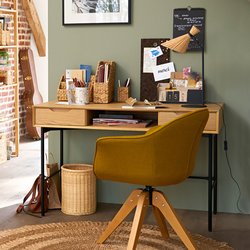
It also helps to think about what sits around the desk. If you plan to place it beside a ladder style shelf, leave enough side space so you can reach books, folders or boxes without twisting awkwardly in your chair. If you are adding trays, pen pots and cable organisers from office storage accessories, factor in a little spare surface area so the desk does not feel overfilled on day one.
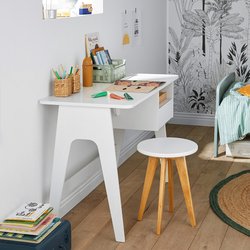
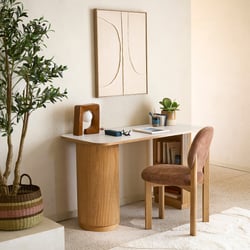
For a study corner, a sturdy desk with enough width for notebooks and a lamp spread across the top often feels more practical than a tiny writing table. A student revising with textbooks open, charger plugged in and a water bottle nearby needs more usable space than the product photo may suggest. In daily use, an extra 20 cm of width can be the difference between a tidy setup and a surface that constantly feels cluttered.
Comfort comes from the right working position
Once dimensions are right, comfort depends on how the desk works with your chair and equipment. When seated, your forearms should rest comfortably with shoulders relaxed, not lifted. Your screen should be positioned so you are not looking sharply down for hours. With a laptop on its own, people often hunch forward, which is why a riser or separate keyboard can make a real difference. A good desk supports these adjustments by giving you enough depth and width to place each item where it belongs.
If you use a fixed-height desk, choose a chair that lets your feet rest flat on the floor and your knees stay at a comfortable angle. If you use a height-adjustable desk, set it so your wrists are not bent upwards while typing. This matters in real use: after a long morning of emails, admin and calls, poor wrist and shoulder position is often what makes a desk feel wrong, not the colour or style.
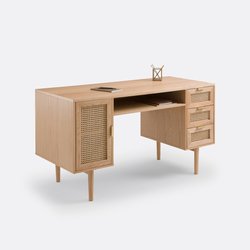
Storage can also affect comfort. A desk with drawers is useful, but make sure they do not reduce legroom. If you sit close to the desk for focused work, a central drawer unit may push your knees back and force an awkward posture. For some rooms, an open desk paired with nearby shelving from home office furniture la redoute interieurs gives more leg space and easier organisation.
Compare desk formats before you buy
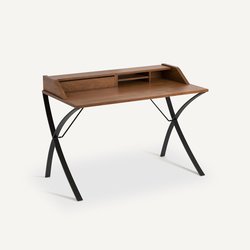
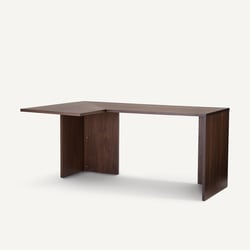
Different desk shapes suit different routines. Straight desks are versatile and easy to place against a wall. Corner desks can give you more working surface, though they need careful measuring. Secretary-style desks can hide paperwork when the day ends, but the working depth may be limited. Height-adjustable models are especially useful if your day shifts between typing, calls and reading documents.
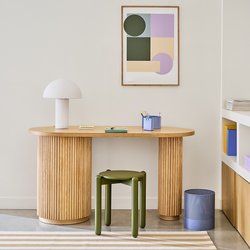
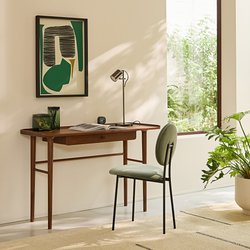
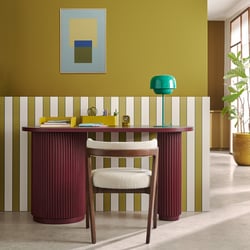
Material and finish can influence daily use too. An oak or walnut look brings warmth to a workspace, while white, black or grey finishes can feel cleaner and more graphic in a modern room. If you want a bolder accent, some interiors work well with blue, olive or even pink details, especially in a study area that shares space with a bedroom. A solid top or sturdy frame is worth checking if you lean on the desk while writing or plan to place a monitor arm on it.
You may also be comparing styles across ranges such as home office furniture am.pm or home office furniture so'home. In that case, keep your checklist practical: width, depth, legroom, drawer access, cable management and whether the desk suits your chair height. A beautiful finish is only useful if the desk also supports your working posture from Monday to Friday.
Think about what needs to stay on the desk every day
One of the easiest ways to choose the right format is to list the items that will stay on the desk permanently. If you only need a laptop and mouse, a compact desk may be enough. If your work involves an external monitor, keyboard, lamp, notebook, headset and charging cable, you will need more generous dimensions. If you print shipping labels, invoices or school materials, you may also want room nearby for a printer and paper tray.
A practical office setup often includes three zones:
- a central area for screen or laptop
- a writing area for notes and documents
- a side area for accessories, charging or reference files
When these zones fit comfortably, the desk feels easier to use for longer periods. When they do not, objects pile up and your posture suffers because you are constantly reaching, twisting or balancing papers on your lap. This is why a desk that looks slightly larger than you first planned can sometimes be the better price in the long run: you are buying working comfort, not just a surface.
Choosing finishes and colours without losing sight of function
Style still matters, of course. The desk should feel at home in your room, whether that is a dedicated office or a corner of the living room. An American-inspired office look may lean towards darker wood tones and strong lines, while a lighter Scandinavian scheme often favours pale oak, white and soft grey. The key is to make sure the finish supports how you use the room. A darker top can hide marks from daily keyboard use, while a pale surface may reflect more light and help a small study area feel brighter.
If you are shopping for a new desk in a multifunctional room, think about visual balance. A black metal frame can ground the space, while walnut adds warmth near neutral walls. Blue or olive accents can work well if the desk sits beside shelves or textiles in similar tones. If your workspace is in a bedroom, especially near beds or wardrobes, a white or light oak desk can help the area feel less bulky.
Storage choices matter too. Some people want built-in drawers; others prefer open space under the desk with separate storage nearby. If your work changes from day to day, external storage often gives more flexibility because you can rearrange boxes and files without changing the desk itself.
What you need to know before buying
What is the 20/8-2 rule for standing desks?
The 20/8-2 rule is a simple way to break up your hour when using a standing desk: 20 minutes sitting, 8 minutes standing, 2 minutes moving. It is designed to stop you staying in one position for too long, because standing all day can be just as tiring as sitting all day. For desk users, the value of this rule is practical. It gives you a clear rhythm for changing posture during laptop tasks, writing, calls and admin, rather than raising the desk once and forgetting about it.
In real use, this can look like the following: you spend 20 minutes seated answering emails and typing, then raise the desk for 8 minutes while reading a report or joining a video meeting, then use the final 2 minutes to walk to the printer, refill water, file documents or simply stretch before returning to work. That short movement break is useful because it encourages circulation and reduces the stiffness that often builds up in your shoulders, lower back and legs.
To make the rule work well, keep these points in mind:
- Set the seated height so your elbows rest comfortably and your shoulders stay relaxed.
- Set the standing height so your wrists stay straight rather than bent upwards.
- Place the screen high enough to avoid looking sharply down.
- Wear supportive shoes if you stand regularly on a hard floor.
- Use the 2-minute movement break properly instead of staying rooted to the spot.
A common mistake is treating a standing desk as a desk you should stand at all day. That often leads to sore feet, locked knees and fatigue by mid-afternoon. Another pitfall is using a laptop without adjusting the screen height, which can still leave you hunched whether sitting or standing. If you work from home using a height-adjustable desk for laptop tasks, try pairing it with a laptop stand and separate keyboard so each position feels more natural. The aim is not to stand for the sake of it, but to vary your posture through the day in a way your body can sustain.