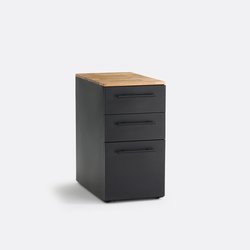
Choose a metal desk that fits your working day
A metal desk needs to fit your room, support your equipment and cope with everyday use. That might mean a compact writing surface beside a bedroom window, a sturdy workstation for a monitor and laptop, or a folding design that leaves space for other activities when work ends. Before choosing a colour or shape, start with the space you have and the tasks you do most often. We recommend comparing dimensions, construction and storage together: a generous desktop is less useful if its frame leaves too little room for your chair.
Metal construction can suit a busy home office, particularly when you want a firm support for equipment without bulky side panels. However, stability depends on the whole design, including the joints, feet and desktop attachment. A slim frame with secure bracing may feel steadier than a heavier-looking desk with loose fixings. Checking these details helps you find a workspace that remains comfortable through morning emails, afternoon calls and occasional paperwork.
Measure the space around your desk, not just the desktop
Match the width and depth to your equipment
Start by laying out the items you use together. A laptop and a notebook need less surface area than a monitor, separate keyboard, mouse and document tray. As a planning guide, a desktop around 100 cm wide may suit light laptop use, while 120-140 cm can provide more flexibility for a separate screen and writing area. These are starting points rather than fixed rules: measure your actual equipment before deciding.
Depth matters as much as width. A shallow desk can push a monitor too close or leave your wrists resting on the front edge. Around 60 cm of depth can accommodate many compact arrangements, while a deeper surface may give you more room to position a screen comfortably. If a product lists measurements in inches, convert them before comparing it with your room plan; one inch equals 2.54 cm.
- Measure the available wall space, including skirting boards and nearby sockets.
- Mark the proposed desktop outline on the floor with removable tape.
- Pull your chair back as you would when standing up, then check the remaining passage.
- Allow doors, drawers and cupboard fronts to open without hitting the frame.
- Check the clear space between the legs, especially if you use a wide office chair.
Check legroom and seated height
A desktop height around 72-75 cm is common, but comfort depends on your height, chair and working position. Sit with your feet supported and check that your forearms can rest comfortably while typing. Crossbars and drawer compartments can reduce usable knee space even when the overall dimensions look generous. An adjustable desk offers more flexibility, but check its minimum and maximum heights, load limit and adjustment method rather than assuming every model will suit seated and standing work.
Compare metal construction and desktop materials
Understand what the frame supports
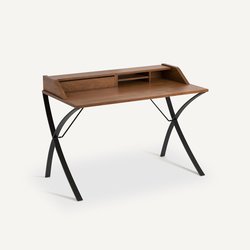
A desk described as metal may have a steel frame with a timber-based top, or it may use metal for both the frame and desktop. Read the material description for each part. A metal frame does not automatically mean an all-metal desk. The distinction affects weight, surface feel, cleaning and the way accessories attach. For example, a monitor arm needs a suitable clamping edge and a desktop capable of taking the concentrated pressure.
A steel desktop holds a laptop while its frame resists wobbling when the desk has secure joints, suitable bracing and properly adjusted feet. That steadiness is useful when typing quickly or taking handwritten notes beside the computer. Check the stated maximum load and distribute equipment sensibly; placing a heavy printer on one corner can stress a desk differently from spreading the same weight across the surface.
Choose a finish for daily contact
Powder-coated metal provides a coated surface rather than exposed steel, but its resistance to scratches and stains varies by product. A powder-coated surface can wipe clean after coffee spills and pen marks when the coating and cleaning guidance allow it. Blot spills promptly, use a soft cloth and test any recommended cleaner on an inconspicuous area. Ink may need specific treatment, so avoid abrasive pads or strong solvents unless the manufacturer explicitly permits them.
Use a desk mat for repeated writing or mouse movements. It can soften contact with a cool metal surface and reduce the sound of keys or stationery being put down. Add a coaster beneath hot drinks, and lift equipment rather than dragging it across the coating. These small habits help limit avoidable surface marks during everyday home office use.
Choose a layout for the way you work
Make room for focused morning work
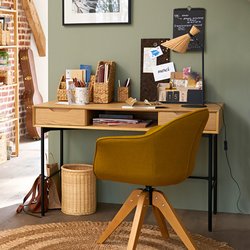
Metal legs support notebooks and a monitor during focused morning work, leaving the desktop available for a keyboard and a clear writing area. If you regularly switch between screen tasks and paper notes, position the monitor towards the back and reserve one side for an open notebook. Check that any rear brace does not obstruct plugs or prevent the desk from sitting where you need it.
For video calls, consider the view behind your seat as well as the desk itself. Positioning the surface beside a window can provide useful daylight without placing a bright window directly behind you. Test screen reflections before fixing shelves or cable clips in place. A desk lamp can then light paperwork without shining directly into the display.
Plan for occasional work and shared rooms
A folding metal desk can suit a room that also serves as a guest bedroom or dining area. Check the folded dimensions, the locking mechanism and the weight you will need to move. Clear the surface before folding the desk. A design that folds neatly still needs somewhere safe to stand, without blocking a doorway or leaning against a heater.
Among compact desks and tables, a simple table-style model can work well for occasional writing because it leaves the area beneath open. For longer sessions, assess it as carefully as a dedicated office desk: dining-style proportions, thick edges or low support rails may interfere with typing posture. If two people share the surface at different times, an easily adjusted chair and a portable laptop stand make changes quicker.
Add storage without losing floor space
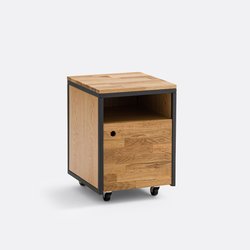
Open metal frames often leave room for separate storage, allowing you to organise paperwork without choosing a desk with built-in drawers. A wooden drawer unit can sit beside the desk for folders, charging leads and stationery. Measure its height before placing it underneath: the unit should not press against the desktop or occupy the space your knees need.
If your floor area is limited, plan a desk and shelves arrangement that uses the wall above or beside the work surface. Store lighter, less frequently used items higher up, and follow the shelving instructions for suitable wall fixings and load limits. Leave enough clearance above your monitor so that a shelf does not restrict screen positioning.
For comparison, our LA REDOUTE INTERIEURS brand includes the Jimi 4-Drawer Desk, a Scandinavian-style desk with four drawers, one compartment and pine legs. Its built-in compartments offer a different storage layout from an open metal frame. Comparing the two approaches helps you decide whether you need enclosed stationery storage at the desk or more free space beneath it.
Coordinate metal with the furniture already at home
A black metal frame can create a clear outline against a pale wall and work alongside dark lamp fittings or shelving brackets. For an industrial look, compare the frame shape and visible supports rather than relying on colour alone. Broad legs and exposed bracing have a different visual effect from narrow, straight supports, especially in a small bedroom where the desk remains in view after work.
Compare materials in practical terms too. An oak desk may appeal if you prefer the feel and appearance of a timber surface beneath your hands. A white wood desk can coordinate with existing pale cupboards, while a wood office desk may offer drawer configurations worth comparing with a separate metal desk and storage unit. Check each product’s construction and care instructions rather than judging its suitability from photographs alone.
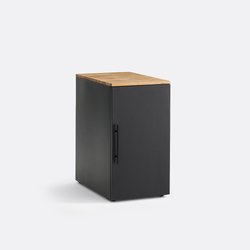
Build your furniture set around working clearances. A matching chair is only useful if its arms slide beneath the top and its seat adjusts to a comfortable height. Likewise, a coordinating cabinet should not narrow the route through the room. Use the dimensions of every piece to check the complete arrangement before adding new furniture.
Check delivery, assembly and everyday upkeep
Before arranging delivery, check the packaged dimensions and the route into your room, including stair turns and narrow doorways. Some desktops arrive as one large piece even when the frame needs assembly. Review the product details for included fixings, required tools and any recommendation for two-person assembly. Delivery options and charges can vary, so confirm the applicable terms for your chosen item.
During assembly, follow the specified tightening sequence and place the desk on a level surface before making final adjustments. Recheck accessible fixings if movement develops during use. Adjustable feet can help compensate for minor floor unevenness, but they cannot correct damaged parts or an incorrectly assembled frame. Keep cables clear of moving mechanisms and leave sufficient slack if the desktop height changes.
Once everything is in place, test the desk through a normal working session. Type, write, move your chair and open any nearby drawers. If you can do each task without bumping the frame, stretching for equipment or blocking the room, your metal desk is doing the practical job you chose it for.